
Skulinker Documentation
Product notes for the Skulinker supplier catalog and AI furniture sourcing workspace.
What Is Skulinker?
Skulinker is a furniture sourcing workspace for supplier product files, private product records, matching, deliberate selection, and reviewable exports. It helps a team move from a PDF, spreadsheet, catalog, or image package to products that can be inspected and reused.
This documentation starts with the actual workflow. Use the linked guides when you need field design, quality rules, onboarding, or system-boundary detail.
1. Receive and Process Supplier Files
Create or identify the supplier, then bring the relevant catalog, spreadsheet, and product images into the same intake context. The processing view shows the current file stage so an operator can distinguish an uploaded file from a completed import.
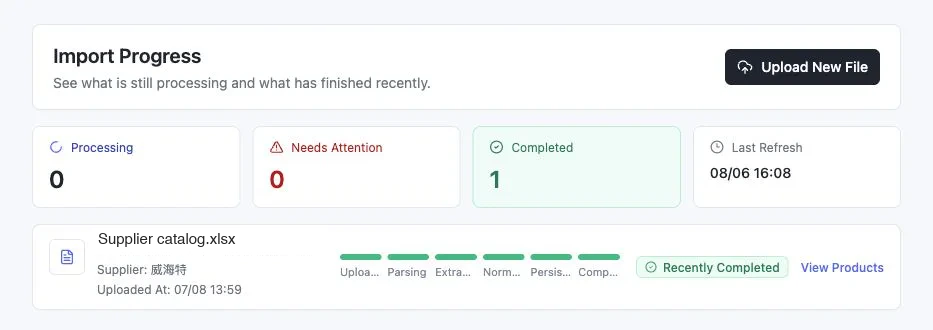
Start with supplier product data onboarding or the PDF catalog extraction guide.
2. Review the Private Product Library
Imported information becomes useful only after the team can connect product identity, attributes, imagery, supplier context, and source evidence. Review missing or conflicting values before relying on a record for search or selection.
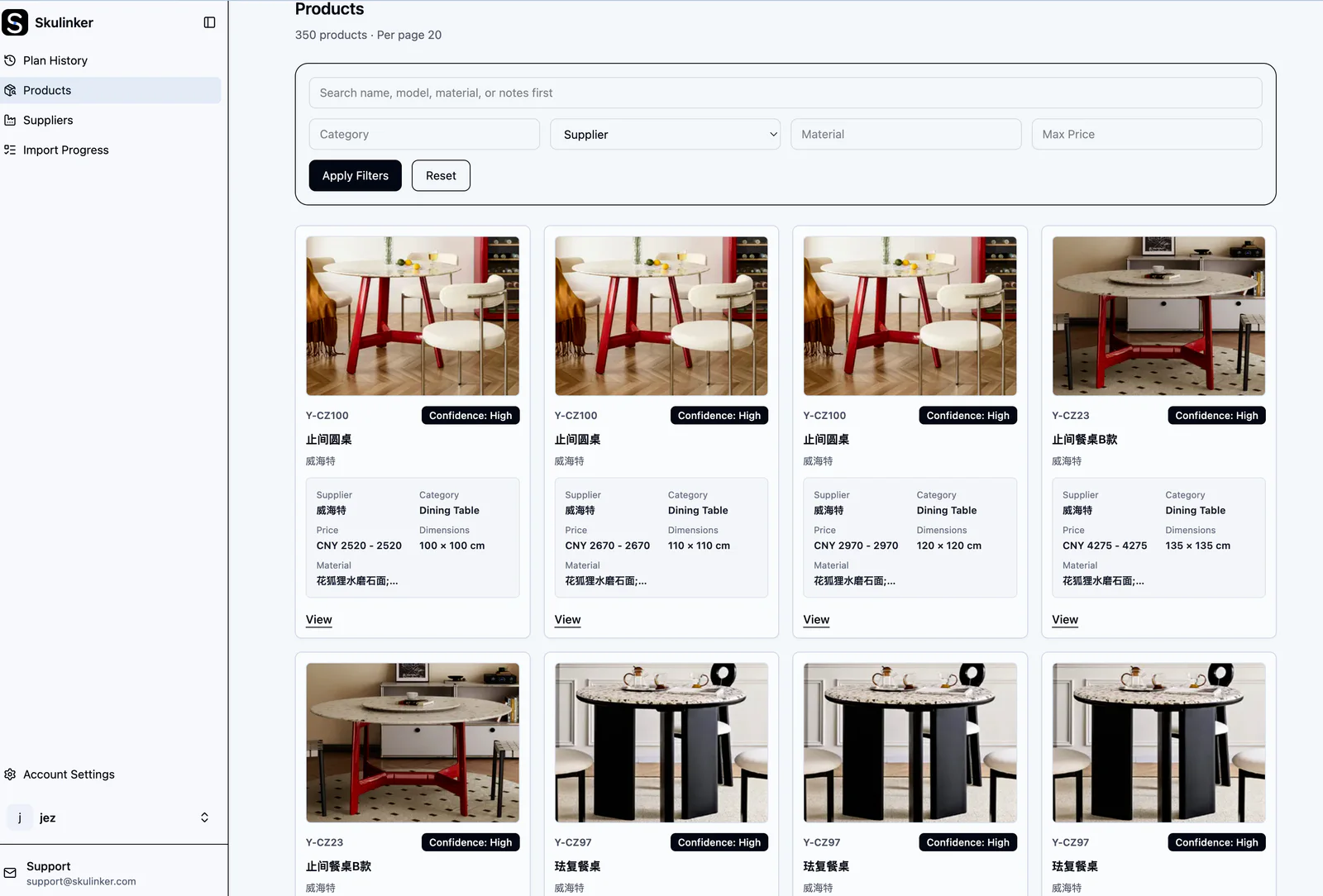
Read the product information management best practices and the product data quality checklist.
3. Search, Verify, and Select
Describe the room, style, quantity, dimensions, budget, or use constraints in natural language. Review the matched records and their source context, then explicitly add only the products that belong in the plan.
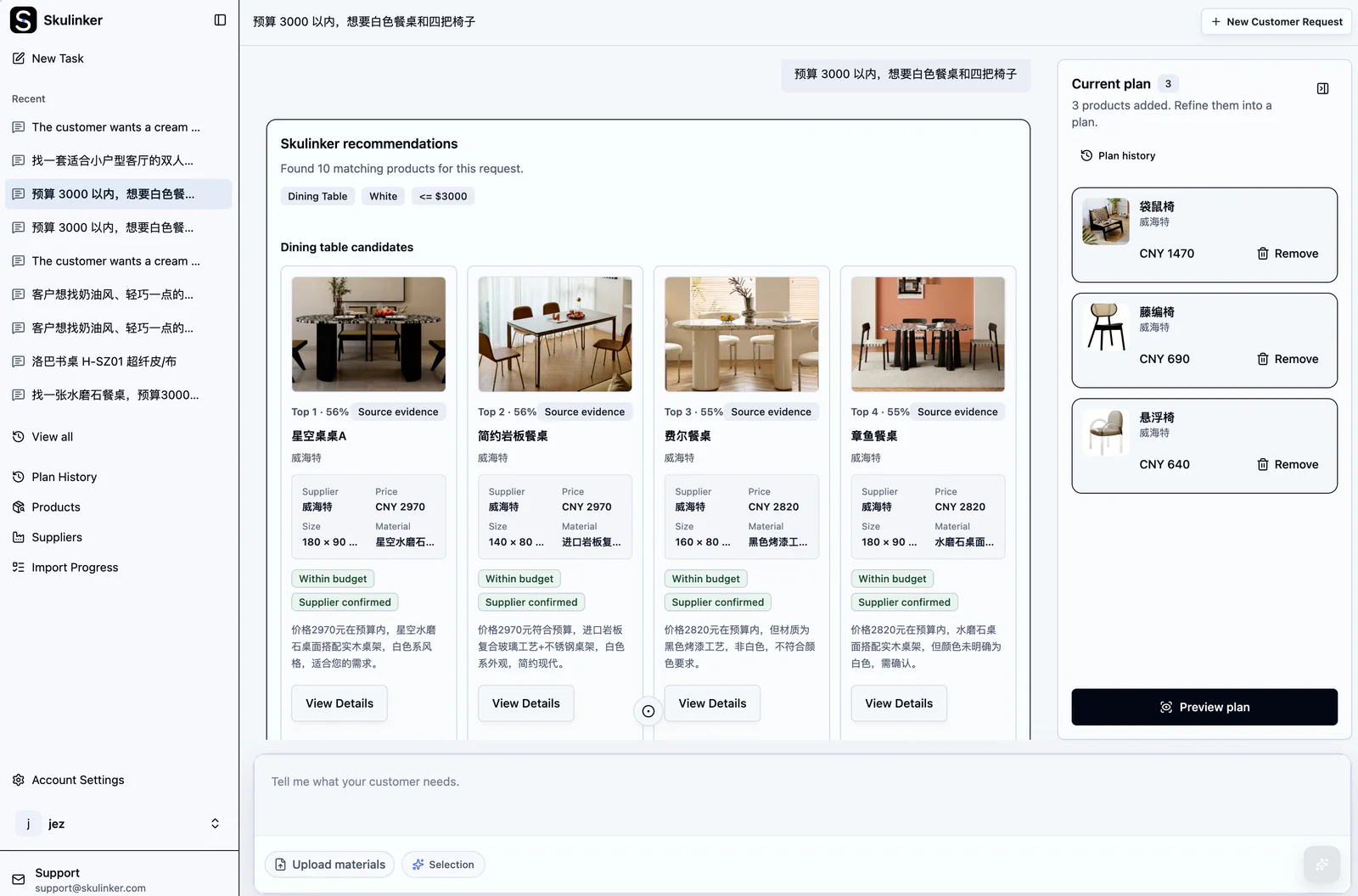
Use the product matching guide for matching rules and review principles.
4. Export a Reviewable Selection Plan
The plan is an explicit set of selected products, quantities, images, prices, and notes. Export it for review, then complete pricing approval, tax, inventory, terms, contracting, and order creation in the systems that own those controls.
The wholesale furniture quote-preparation guide explains this handoff in more detail.
Workspace Administration
For account operations, use Manage Skulinker Team Seats and Workspace Roles and Plan Rights. These guides cover access and plan administration rather than supplier product-data modeling.
Product Boundary
Skulinker focuses on supplier product files, source-connected product records, private search and matching, shortlists or selection plans, and export. It is not legal KYC, accounts payable, supplier risk, contract lifecycle management, a complete PIM or MDM, CPQ, inventory, or ERP.