Supplier product data onboarding is the process of receiving a supplier's product files, turning them into consistent records, and deciding when those records are ready for internal search, quotation, or ERP import.
Teams planning the transaction handoff can use the furniture EDI readiness guide to define document ownership after product records are reviewed.
The objective is not to enter every possible field on day one. It is to capture enough reliable information that products do not disappear in a shared drive while preserving a clear review path for pricing and other commercial terms.
Start with the Sales Questions the Data Must Answer
Before importing files, list the questions sales asks when a customer requests a product. A furniture distributor may need category, dimensions, material, finish, color, style, price range, MOQ, lead time, and supplier. An importer may also need packing volume, port, currency, and quotation validity.
Separate these into three groups:
- Identity fields: supplier, SKU, model, product name, and variant.
- Search fields: category, dimensions, material, color, style, and use case.
- Commercial fields: price, currency, unit, MOQ, lead time, and effective date.
This prevents teams from spending hours on low-value fields while the attributes needed to find the product remain incomplete.
Keep Each Supplier Package Together During Ingestion
Upload the catalog, price sheet, image folder, and related specification documents as one supplier package. Record the supplier, received date, contact or source channel, currency assumptions, and the files included.
If the PDF shows a model but the Excel file carries its price, both sources need to remain available during validation. Splitting them too early creates records that look complete but cannot be traced back when a value is questioned.
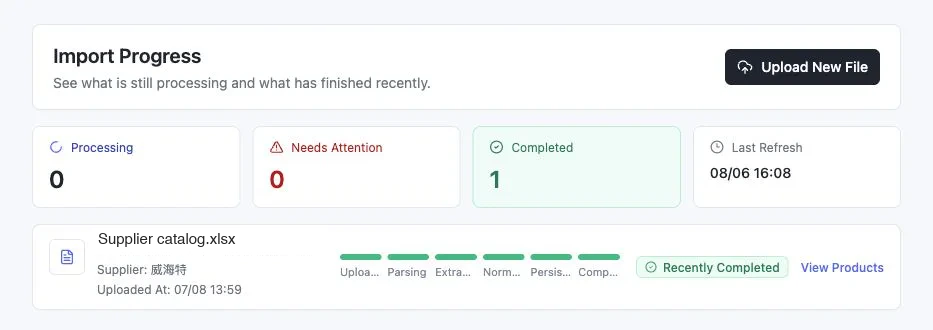
This real job record keeps the supplier and processing stages visible. It is useful operational evidence, but completion still means “ready for the next review,” not “every field is commercially approved.”
Extract, Validate, and Normalize in That Order
- Extract candidate products and variants from the supplied files.
- Validate product identity, image assignment, and commercial fields against source evidence.
- Mark missing or ambiguous values instead of guessing.
- Normalize units, category names, materials, and other fields used across suppliers.
- Merge duplicate records only after confirming they represent the same product and variant.
Normalization should make products comparable without erasing the original supplier wording. Keep 90 cm as the normalized value, for example, while retaining 900mm from the source if that is what the supplier supplied.
Use Readiness States Instead of One Finished Checkbox
A practical onboarding process has more than one definition of ready:
| State | Minimum requirement | Appropriate use |
|---|---|---|
| Discoverable | Product identity, supplier, image or description, and source | Internal sales search |
| Comparable | Key dimensions, material, category, and commercial fields reviewed | Supplier comparison and shortlist |
| Quote-ready | Current price, currency, unit, MOQ, and lead time confirmed | Editable customer quotation |
| ERP-ready | Required ERP fields mapped and validated | Controlled system import |
This allows sourcing to expose useful products sooner without presenting incomplete records as final commercial data.
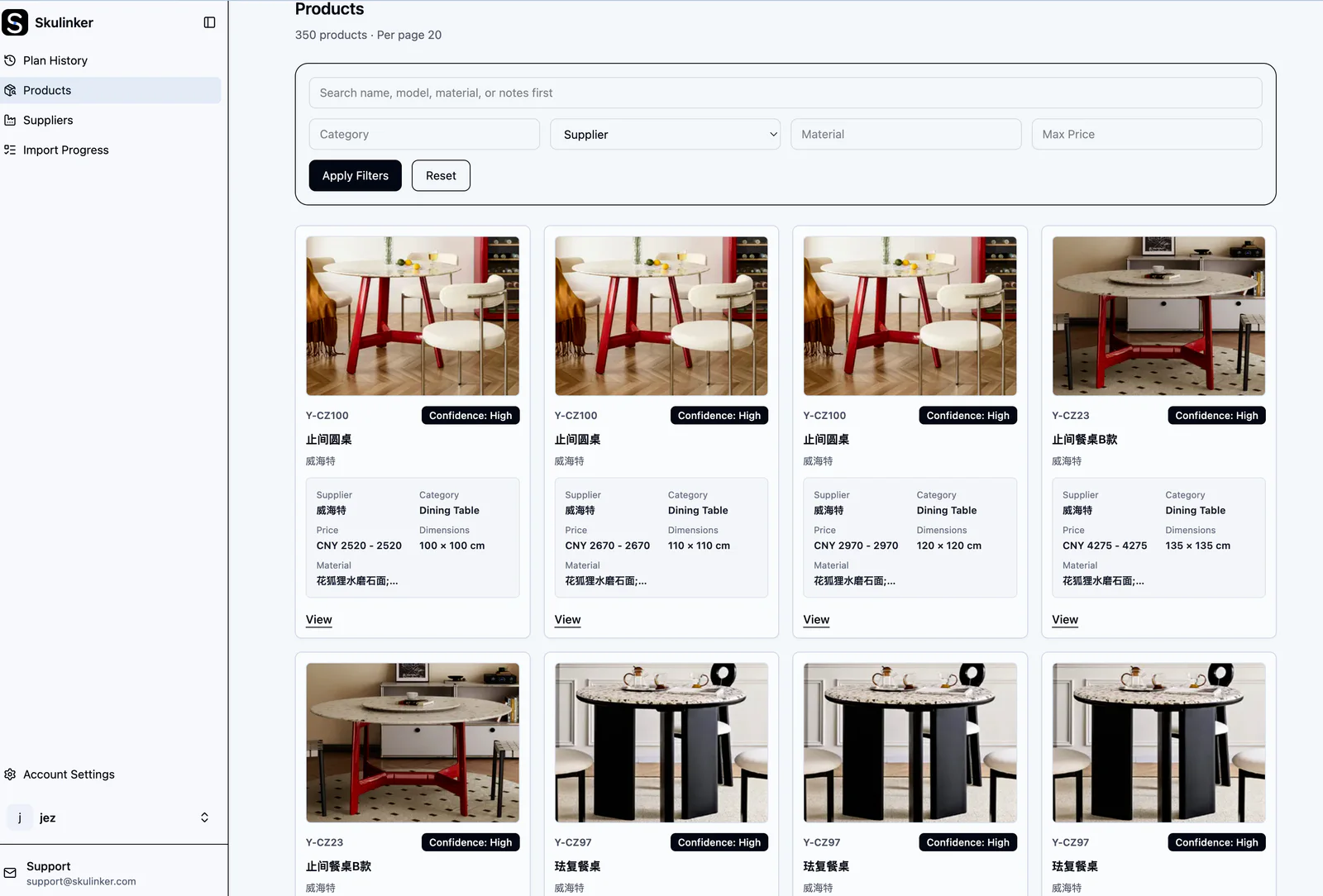
The searchable library is the output of a reviewed onboarding path, not the first extraction screen. Product imagery and filters help sales discover records, while source evidence and readiness states tell the team what each record is safe to support.
Interactive Demo in this guide
Continue from reviewed supplier records to a selection plan
The sanitized Demo shows how searchable records support matching, evidence review, explicit selection, and export.
No sign-up required. Click the input below to try it.
- Describe the space and what you need
- Agent understanding
- Matched from the supplier file
- Details & source
- Add to plan
- Plan preview & export

Assign Ownership for Exceptions
Automation can reduce transcription, but someone still owns unresolved data. Sourcing should confirm supplier identity and commercial terms. Product or category owners should resolve classification and variants. Sales should report fields that make search results unusable. An operations owner should approve the ERP mapping.
Review queues work better when they explain the exception: missing currency, duplicate SKU, image not assigned, dimensions incomplete, or price older than the current quotation period.
Measure Whether Onboarding Helps Sales
Useful operational checks include the share of incoming supplier files processed, records with source evidence, products searchable by required sales fields, unresolved commercial exceptions, and the time from receiving a file to making records discoverable.
The strongest signal is behavioral: when a customer request arrives, can sales find suitable products without asking sourcing to search the original folders again?
Related Supplier Product Data Resources
- Supplier Catalog Management
- Supplier Product Data Ingestion
- Product Catalog Data Cleaning
- AI Product Data Extractor
- Product Information Management for Furniture
- Product Information Management Guide
- Product Information Management Best Practices
- How to Digitize Supplier Onboarding Documents
- How to Evaluate Supplier Onboarding Software for Catalog Data
Next step
Turn one supplier package into reviewable records
Follow intake, extraction, evidence review, product matching and explicit selection without hiding the source file.
Continue reading