
Product Catalog Data Cleaning for Supplier Files
Product catalog data cleaning turns extracted supplier information into records that can be searched and compared without hiding uncertainty. It addresses duplicate products, inconsistent units, missing commercial context, variant mistakes, and images separated from the products they describe.
For distributors, cleaning is not a cosmetic spreadsheet task. A clean-looking record with the wrong price unit or the wrong image creates a sales problem. The goal is reliable use, with every important value traceable to its source.
Common Problems in Supplier Catalog Data
| Problem | Example | Business risk |
|---|---|---|
| Duplicate SKU | The same supplier model appears in a catalog and price sheet as two products | Sales compares a product with itself |
| Mixed units | Dimensions combine millimeters, centimeters, and inches | Products fail filters or appear to fit incorrectly |
| Ambiguous price | A number has no currency or per-piece/per-carton unit | Margin and quotation errors |
| Broken variants | Colors are imported as separate products without the parent model | Duplicate records and confusing search results |
| Detached images | Image filenames do not map clearly to SKU rows | Sales presents the wrong product |
| Stale terms | New prices overwrite the original quotation date | Teams cannot judge which terms are current |
These defects often cross files. A validation process must compare the catalog, quotation, and images together.
Clean Product Identity Before Attributes
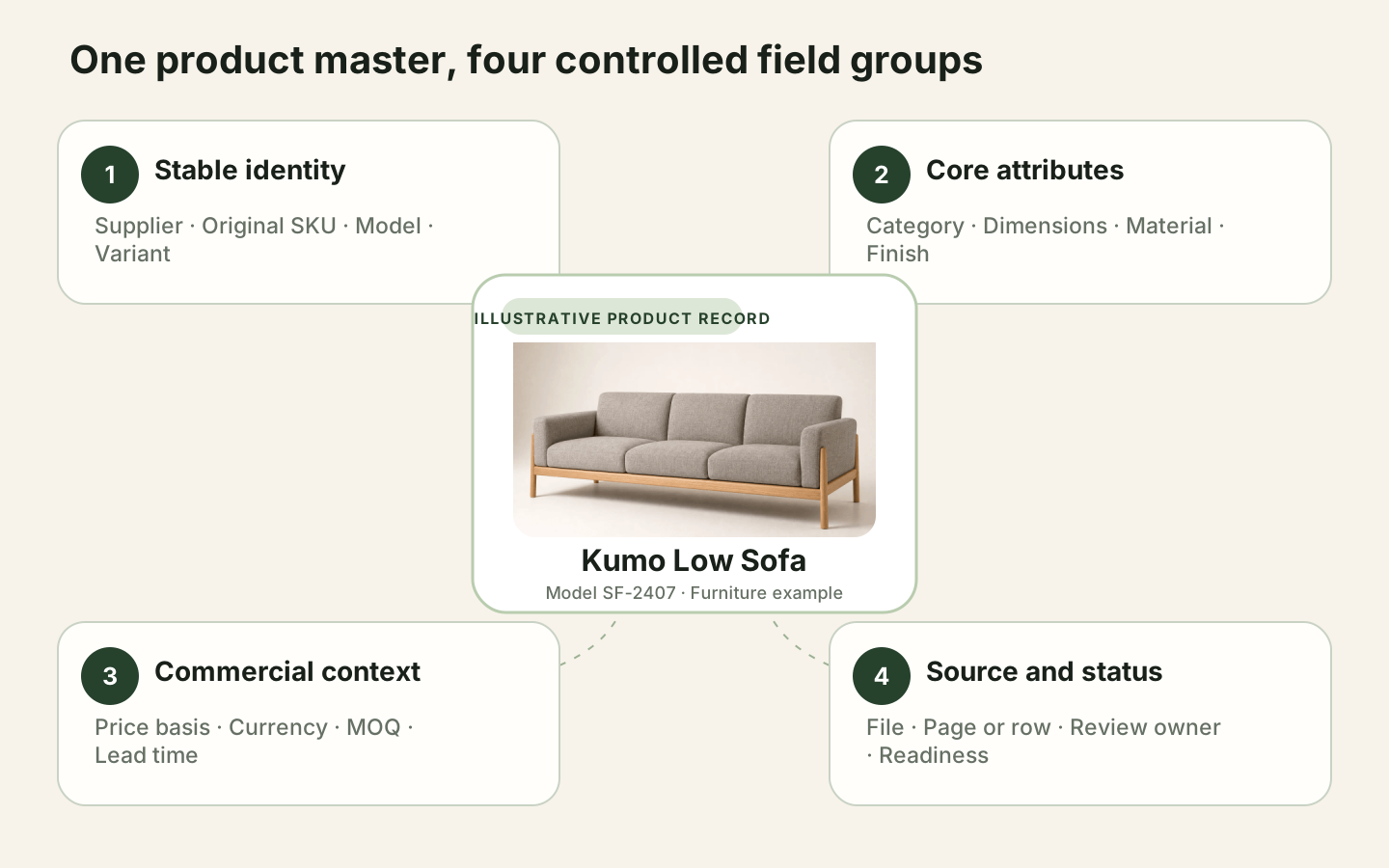
First confirm the supplier, original SKU or model, product-versus-variant relationship, and source. Do not merge a duplicate SKU automatically when one row may represent a different size, finish, market, or pack configuration.
Use a stable internal record identifier while retaining the supplier SKU exactly as received. If the supplier later changes its code, keep the previous value as source history rather than rewriting every trace.
Normalize Units Without Erasing Original Values
Choose canonical units for dimensions, weight, volume, and packaging, then store both the normalized value and the original expression. 900 mm can become 90 cm for comparison, but the reviewer should still be able to see what the supplier wrote.
Unit conversion also needs field meaning. Overall width, seat width, carton width, and package length are not interchangeable simply because they share the same unit.
Apply Validation Rules to Commercial Fields
Commercial validation should check more than whether a cell contains a number:
- Price has a currency, unit basis, supplier, and effective date.
- MOQ is attached to the correct unit and variant.
- Lead time distinguishes production, sample, and transit time when the source does.
- A quotation update does not remove the earlier source and date.
- Calculated values are labeled separately from values supplied directly.
Records that fail these rules can remain discoverable for internal search, but they should not be marked quote-ready.
Use Source-Grounded Enrichment
Source-grounded enrichment adds normalized categories, derived search terms, or structured attributes while keeping the supplier evidence visible. For example, a team may classify rubberwood under a controlled material group while preserving the original material description.
Enrichment should not invent a missing price, fire rating, certification, or lead time. When a value is not supported by the supplier material, label it missing or request confirmation.
Keep Human Review for High-Impact Exceptions
Human review is most valuable for product identity, commercial terms, variant relationships, and uncertain image assignment. The reviewer should see the extracted value, source excerpt, file, and reason for the exception in one place.
Assign review by ownership: sourcing confirms supplier terms, category teams resolve classification, and operations approves ERP mappings. A clear queue is faster than asking every reviewer to inspect every field.
Decide When Catalog Data Is Ready
Use quality gates tied to the next action:
- Search-ready: product identity, supplier, source, and useful descriptive fields are present.
- Comparison-ready: comparable attributes and units have passed validation.
- Quote-ready: commercial fields are current and confirmed.
- ERP-ready: required fields and formats match the downstream schema.
Data quality is not one percentage. A record can be useful for discovery while still blocked from quotation.
Compare cleaned records with the furniture product master data model so product identity, variants, supplier offers, images, and evidence do not collapse back into one flat row.
How Skulinker Supports Catalog Cleaning
Skulinker connects extracted supplier data to its source, helps teams normalize comparable fields, exposes exceptions for review, and publishes approved records to a searchable product library. Sales can find and compare products without losing the evidence sourcing needs to confirm a value.
Related Product Data Resources
- What Is Data Quality Management?
- Product Data Matching for Supplier Catalogs
- Supplier Product Data Ingestion
- AI Product Data Extractor
- Supplier Catalog Management
- Product Data Quality Checklist
- Extract Product Data from PDF Catalogs
Next step
Turn supplier files into records your team can review
Start with one supplier package and move through extraction, source review, matching, and selection.
Continue reading