How to Turn Supplier Product Files into a Product Catalog
Learn why supplier Excel, PDF, and image files still take days to organize, and how extraction, product cards, and source evidence turn them into a usable catalog.
Aug 13, 2026
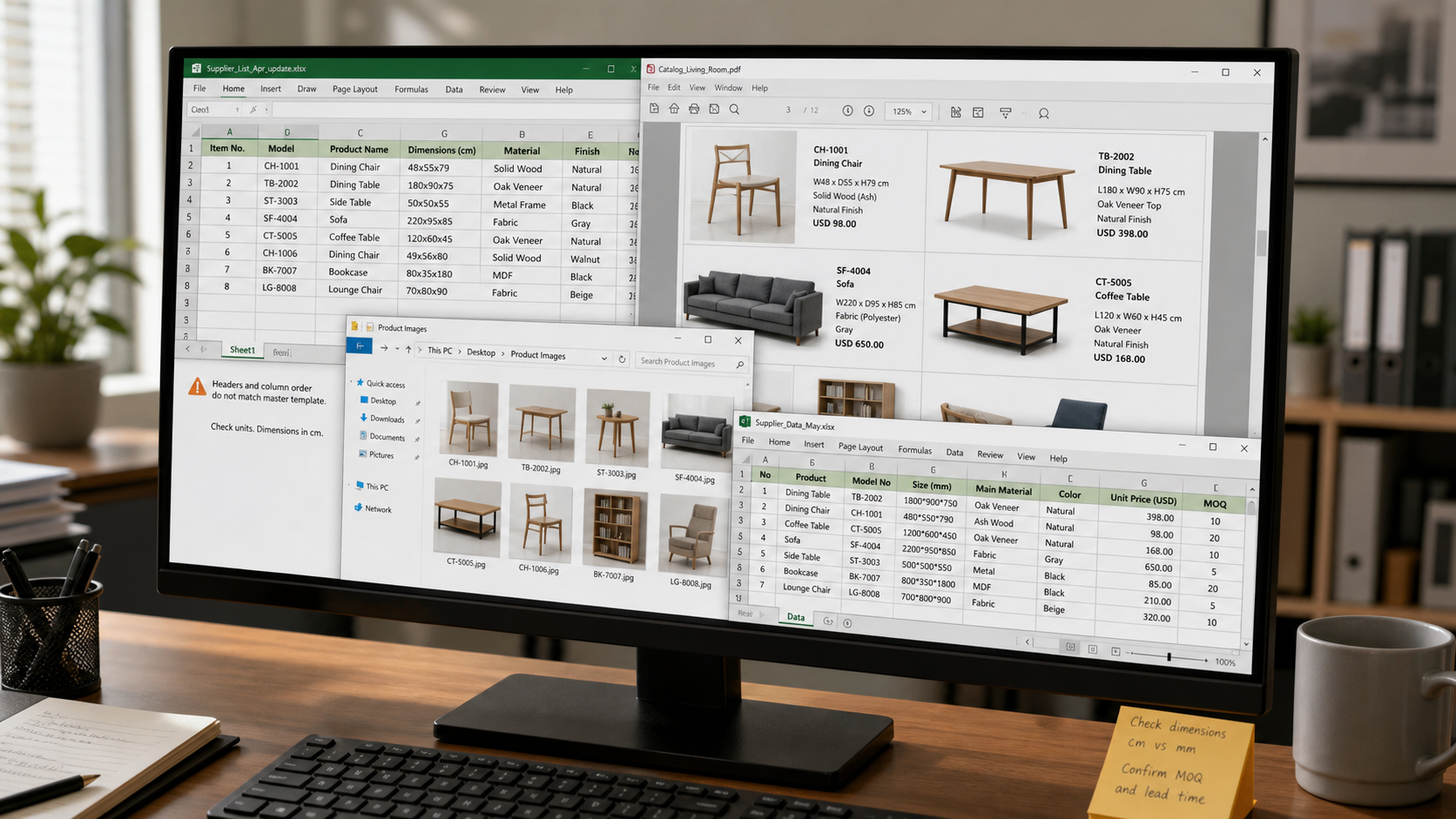
Suppliers already send product information in Excel, PDF, or image files. Those files may include product images, model numbers, dimensions, materials, and prices. The information looks complete, but different suppliers use different formats, file types, and templates. These files were not produced from one shared template, so they cannot become your product catalog without more work.
You still have to open the files, inspect the product information, and rebuild it in the format your team uses.
Editorial reconstruction: a visual explanation of incompatible supplier
files, not a real customer computer screenshot.
Once supplier information arrives, not building an internal product table is difficult. Without one, the supply chain team has no consistent way to manage products from different suppliers or find them when a quote or project brief arrives.
But building that table can take days, or even a month when several supplier catalogs are involved. As the list grows, someone may need to take ownership of maintaining the fields, replacing old prices, adding new images, and checking whether a model still belongs to the same supplier.
The more frustrating part is the return on that effort. The table may take a great deal of time to build, while only a small number of the products ever make it into a recommendation, quote, or order. The supply chain team spends a lot of time preparing data that is rarely used in a customer-facing workflow.
The result is usually an internal spreadsheet with a high information density. It is useful to the person who created it, but not easy for sales or project teams to browse. It does not feel like an online catalog where one product appears on one card, with an image, model number, dimensions, material, and price visible at a glance.
That is the real problem: you cannot skip the product table, but the table takes too long to maintain and still makes product discovery difficult.
Find the product image and match it to the model number.
Check the dimensions, material, price, currency, and other basic fields.
Copy each value into an internal table template.
Check that the copied image, model, and specifications still belong to the same product row.
Return to the original file when a value is missing or looks suspicious.
The work becomes especially slow when the supplier changes the order of the columns, puts dimensions in a note, or uses a separate worksheet for prices. You may be looking at a product row in one file while checking an image folder or another PDF for the rest of the record.
Editorial reconstruction: a visual explanation of copying and checking
supplier rows, not a real customer computer screenshot.
The work is not difficult because the information does not exist. It is difficult because the information does not arrive in the same structure as your internal table.
When an Excel file already contains product images, model numbers, dimensions, materials, and prices, those fields should be extracted into your own table structure. The same principle applies when the information is inside a PDF catalog or a product image set.
The useful step is not merely uploading a file. It is separating the supplier material into product units, identifying the fields that belong to each product, and mapping those fields to a consistent product record.
The process can be light from the user's point of view:
Upload the supplier file or file package.
Identify product rows, images, and relevant fields.
Map the extracted values to your product-record template.
Keep the original file location with the extracted record.
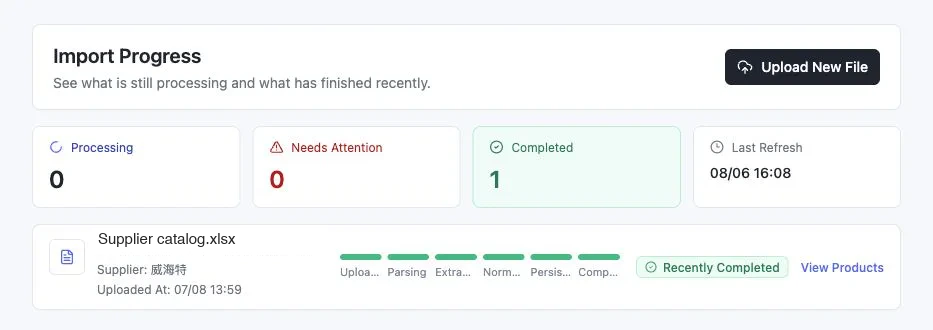
A light view of the extraction process: the file moves through parsing,
extraction, normalization, persistence, and completion.
This does not mean every extracted value should be accepted without review. It means the team no longer has to spend its time retyping values that were already present in the supplier material.
Interactive Demo in this guide
See supplier files become usable product records
Use a sanitized local Demo to see a brief become matched product cards, source review, and a plan-ready selection.
No sign-up required. Click the input below to try it.
Click below to start
Describe the space and what you need
Agent understanding
Matched from the supplier file
Details & source
Add to plan
Plan preview & export
Skulinker
Demo mode · Local state
Interactive Demo in this guide
Describe the space and what you need
The Agent structures the space, style, and use constraints before matching.
Local experience, not saved
A warm vintage shared lounge with long-stay comfort, a lighter visual profile, and coordinated tables and ambient lighting.
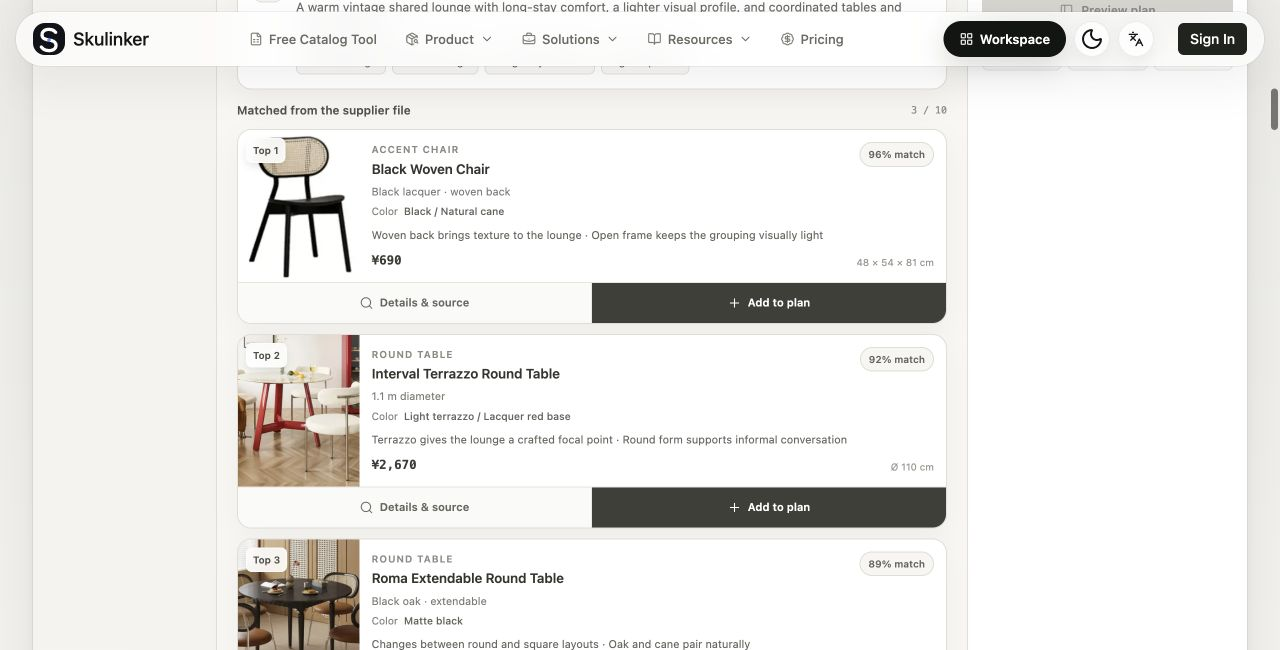
After extraction, the information should appear as a product record rather than another dense table row. The image, model number, dimensions, material, price, supplier, and review state should be visible together.
That makes the catalog useful to more than the person who maintains it. A sales teammate can scan product cards. A sourcing teammate can compare dimensions and prices. A project teammate can shortlist a product without remembering which supplier's worksheet contains it.
Captured from the public Skulinker Demo: product cards use sanitized demo
fixtures, not a saved customer catalog or customer screenshot.
The card layout does not make a product suitable for a project by itself. Dimensions, material, price, and lead time still need to be checked when they matter. The benefit is that the team can start with a readable candidate instead of searching a high-density table from the first row.
Automation should reduce repetitive work, but it should also add a clear way to check the result.
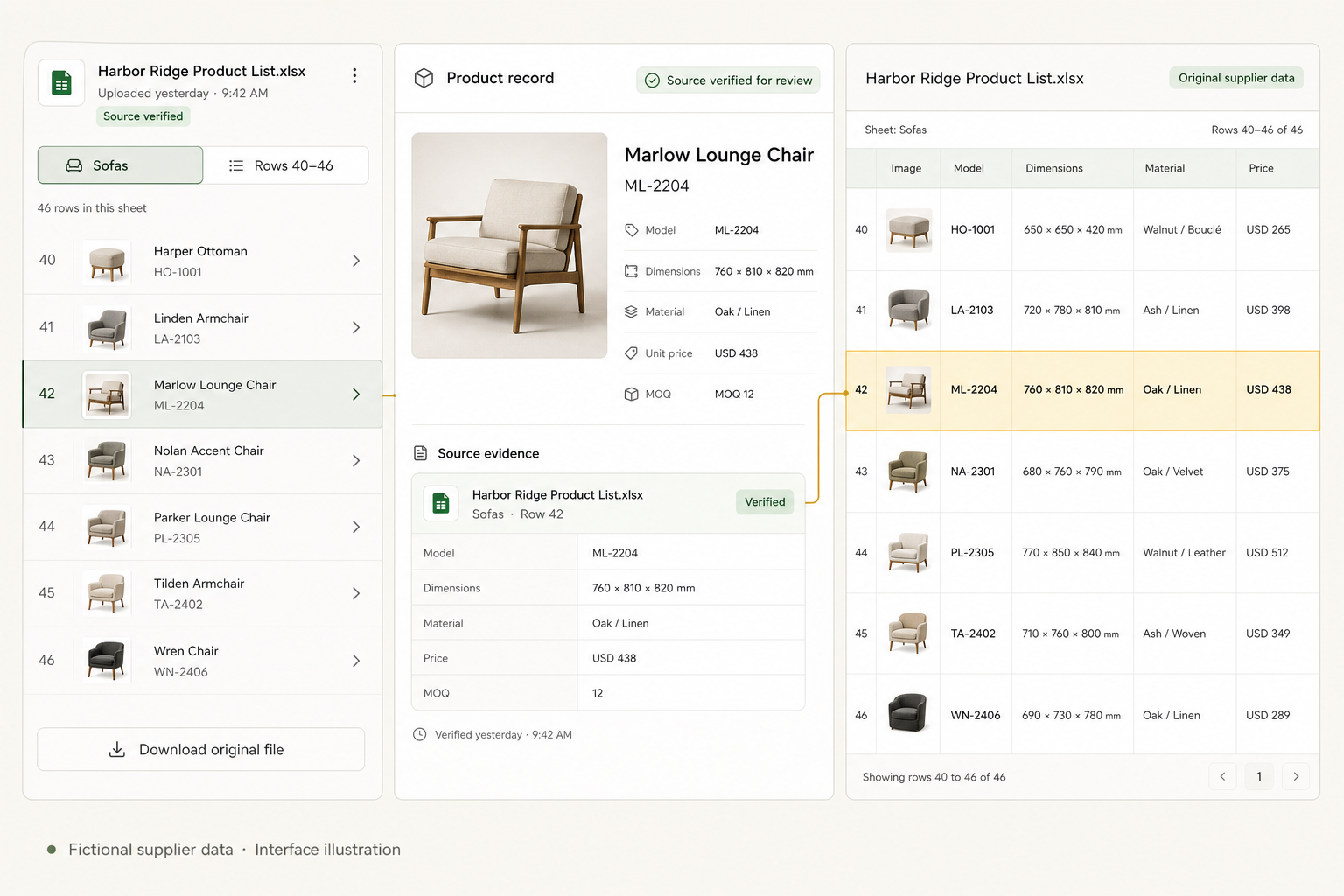
After the system extracts a product, it can retain a screenshot or excerpt of the relevant area in the supplier file. The evidence should show which worksheet, page, row, or column contained the model, dimensions, material, price, or image. That is more useful than a vague “source available” label.
The workflow is:
Split the supplier material into individual product units.
Extract the valid fields into your product-record template.
Save the original file location and the relevant source excerpt with the record.
Open that evidence when a value needs a quick check or spot audit.
Fictional supplier data · Interface illustration. The highlighted row and
source fields show the kind of evidence a product record should retain.
This extra evidence path helps the product library stay trustworthy. It reduces the chance of a copied value being accepted simply because it looks tidy, while keeping the original supplier material available for timely checks.
Automation cannot remove the need for judgment when a supplier value is ambiguous or outdated. It can, however, reduce manual copying and make the remaining review much more focused.
If supplier product information already exists in Excel, PDF, or image files, repeating the same work by hand is a poor use of a supply chain team's time.
A better product-data workflow extracts the information, maps it into consistent fields, presents the results as readable product cards, and keeps the original supplier location for checking. That gives the team a product catalog it can browse and reuse, rather than another table that only one person knows how to maintain.