
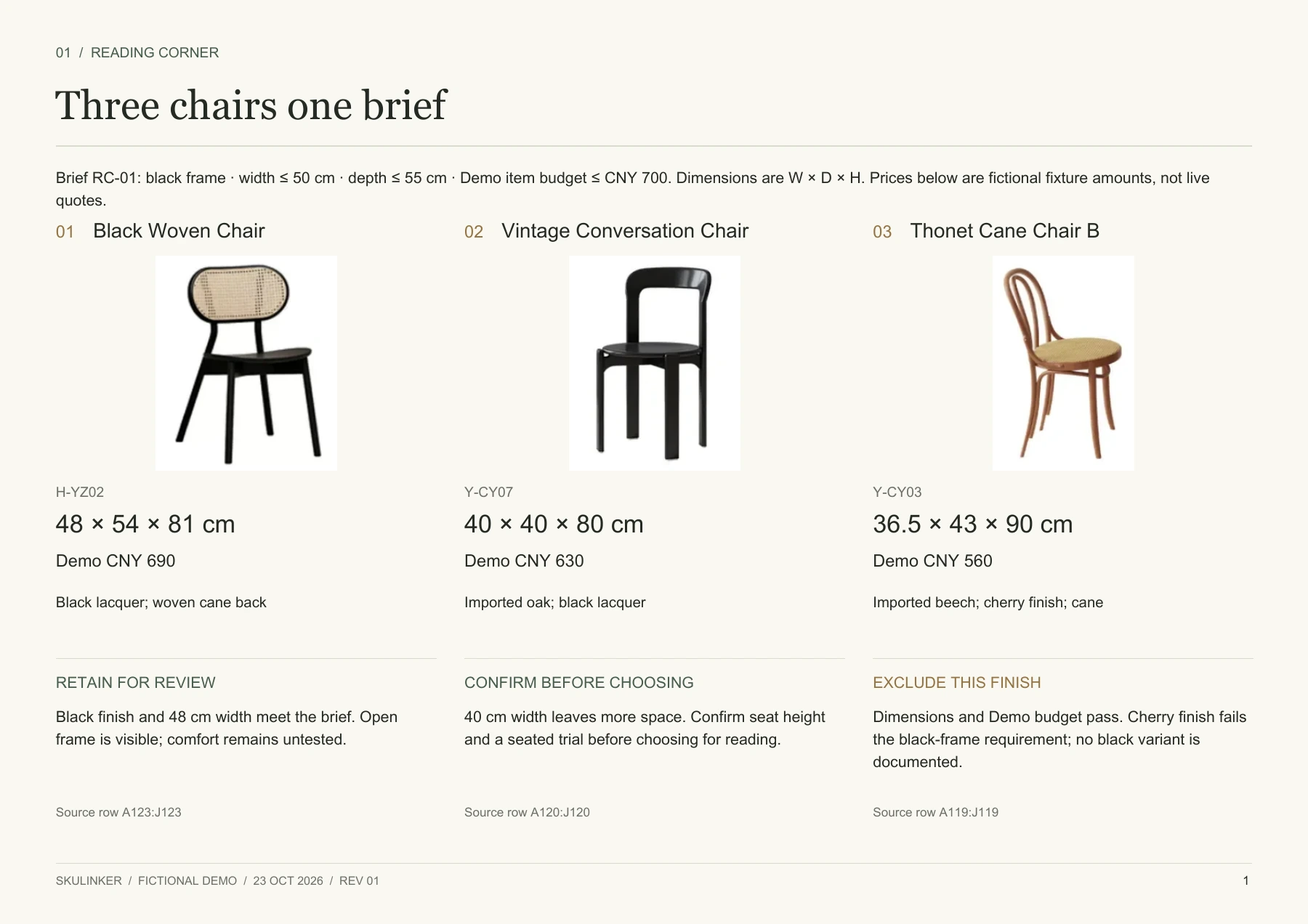
A product comparison template is useful when each candidate must answer the same brief. This completed board compares three chairs for a fictional reading corner. Download the landscape PDF to review the decision, or edit the Word source for your own shortlist. The public Skulinker Demo shows the supplier records behind this example; the live workspace is currently paused.
Download the comparison board PDF · Edit the comparison in Word
Start with a decision, then check its evidence
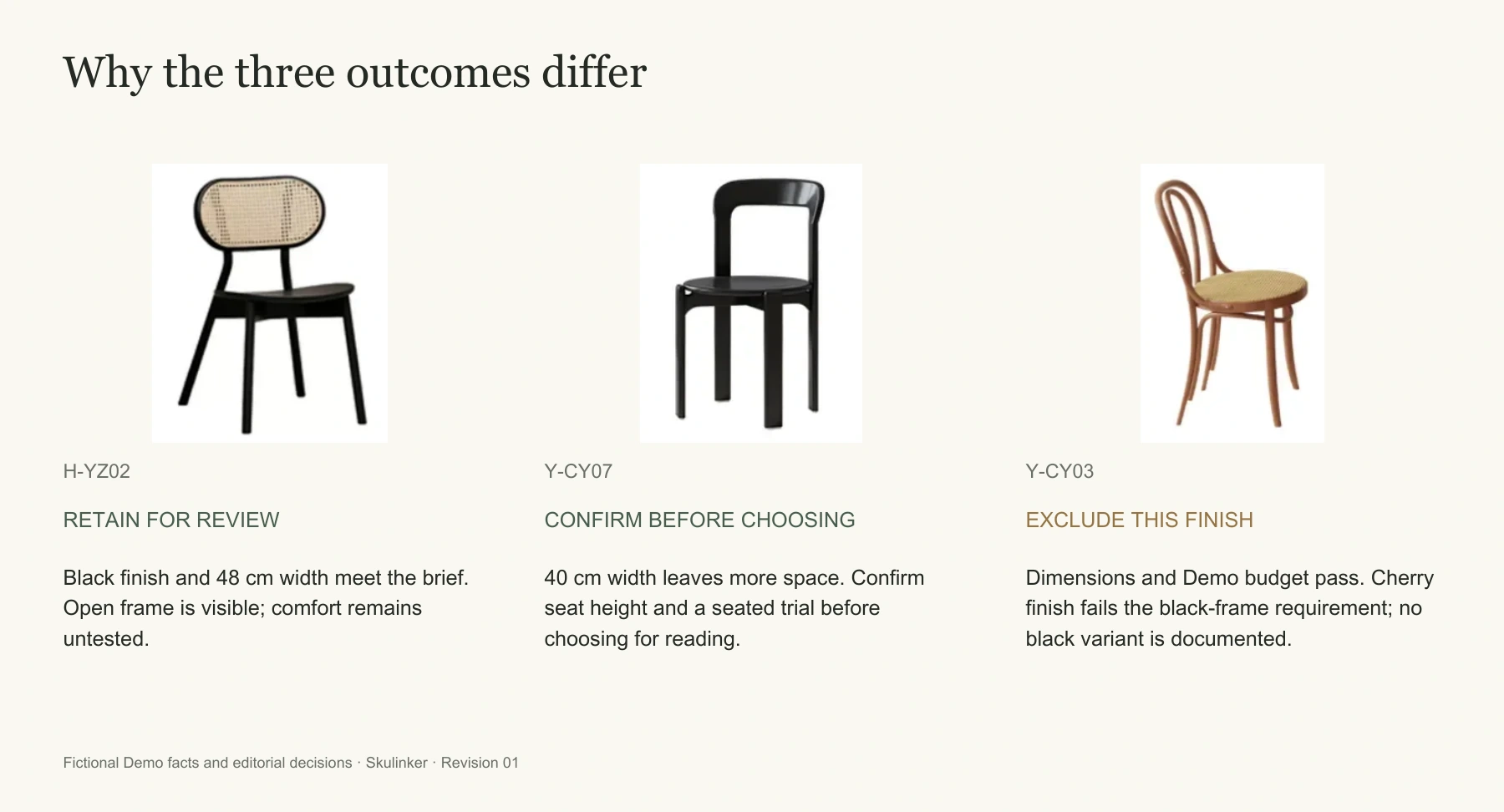
The product comparison template retains the Black Woven Chair, flags the Vintage Conversation Chair for reading-use confirmation, and excludes the cherry-finish Thonet Cane Chair B. The last chair conflicts with the brief's black-frame rule. These are review outcomes, not comfort-test results or an automatic score. The images, dimensions, materials and CNY amounts are fictional Demo data.
Use the product comparison chart as a record of why each chair remains, needs an answer or leaves the shortlist. The product comparison matrix gives every option the same evidence fields. The reason lets reviewers revisit a changed brief.
Apply one brief to all three chairs
Brief RC-01 requires a black frame, width no more than 50 cm, depth no more than 55 cm, and an illustrative item budget of CNY 700. Reading comfort matters, but the source has no seat heights or seating-trial results. The product comparison template keeps those gaps visible. An open frame and textured back are preferences; the finish, size and budget are conditions.
| Candidate configuration | Source dimensions, W × D × H | Fictional Demo amount | Consequence for this brief |
|---|---|---|---|
| H-YZ02, black lacquer with woven back | 48 × 54 × 81 cm | CNY 690 | Within size and budget limits; retain for review |
| Y-CY07, black oak conversation chair | 40 × 40 × 80 cm | CNY 630 | More compact; confirm suitability for reading |
| Y-CY03, cherry-finish cane chair | 36.5 × 43 × 90 cm | CNY 560 | Size and budget pass; documented finish fails |
This product comparison table covers three products from one fictional supplier. The product comparison template does not judge their companies. Comparing delivery, payment or supplier terms is a separate task for the supplier comparison template.
Read the differences without inventing performance
The woven chair is 8 cm wider and 14 cm deeper than the conversation chair. A product comparison chart makes that footprint trade-off plain. Its open frame and cane back are visible; its strength and comfort are not. The product comparison template separates measurements from impressions so a photograph cannot silently become a performance claim.
The conversation chair has the smallest recorded depth at 40 cm. Record this finding in the product comparison template without assuming comfort. Ask for seat height and arrange a suitable trial before approving it for reading. The Thonet option costs CNY 560 and fits the size limits, yet its documented cherry finish fails the black-frame condition. The product comparison template records that conflict rather than erasing the option. Treat any black version as a new configuration requiring its own evidence.
View full size
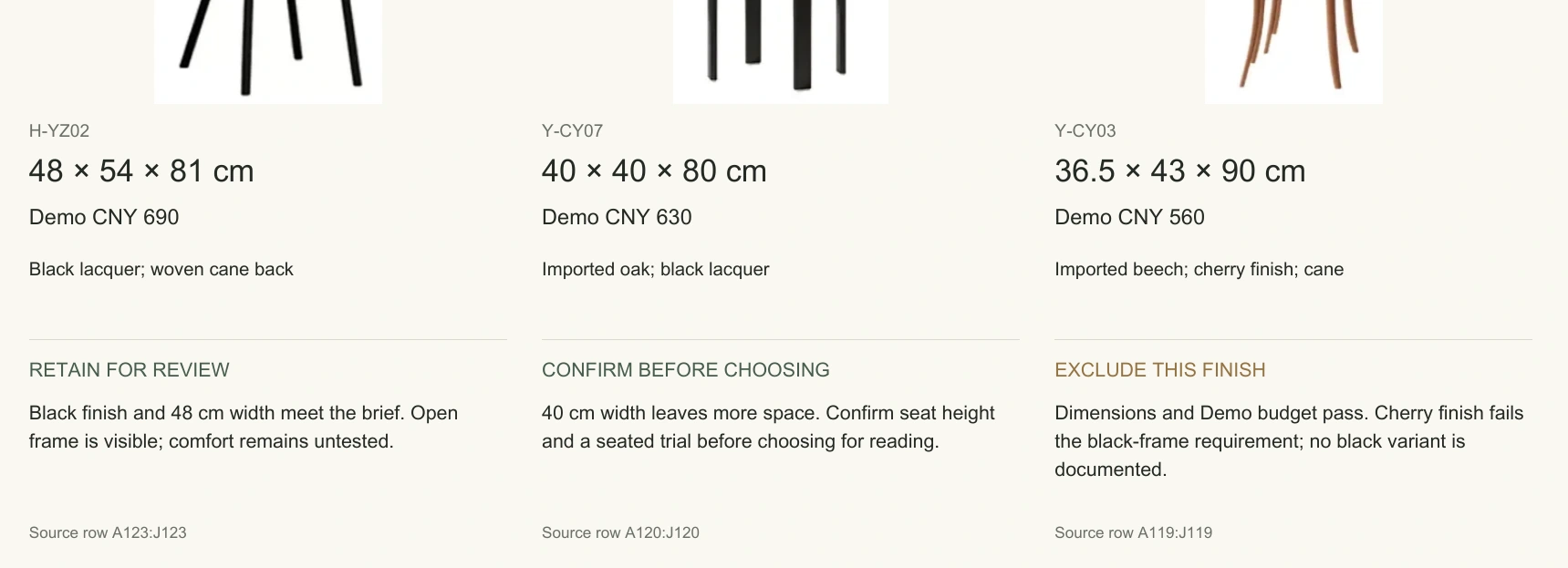
A detail from the finished board shows dimensions, fictional prices and evidence-based outcomes.
Replace each candidate as a unit
In the DOCX product comparison template, change the brief before editing the chairs. Replace each candidate's image, model, finish, dimensions, price basis, source reference and review reason together. A new picture above an old model number misleads.
Preserve the source measurement when converting units: 48 cm becomes 480 mm, while the evidence still points to the original 48 × 54 × 81 cm record. Check whether dimensions are assembled or packed and confirm their order. The product comparison matrix should carry the same measurement basis in every column. A product comparison table that mixes packing and assembled dimensions misleads.
The product comparison table uses Demo amounts that omit freight, tax and delivery commitments. For a real product comparison template, record the quantity, configuration and commercial basis next to each price. Leave unanswered costs open. After editing Word, export a new PDF and inspect it at both full-page and reading size. The product comparison template can use a second board if a fourth candidate makes the first unreadable.
Record retain, exclude and confirm
“Retain” means an option merits further review. “Exclude” names a conflict with the current brief. “Confirm” marks a missing fact that could change the result. The product comparison template gives each outcome an explicit reason, so a shortlist is not mistaken for purchase approval.
If cherry becomes acceptable, reconsider Y-CY03. If maximum width drops to 45 cm, H-YZ02 fails that condition. Recheck the whole product comparison table against the revised brief and save the new version. The product comparison template remains a decision record only if every candidate is re-evaluated; changing one preferred column hides the effect on the other chairs.
View full size
The same candidates lead to different decisions: retain, confirm or exclude the recorded finish.
Keep the record retrievable
The fictional Dining Table & Chair Series references are H-YZ02 A123:J123, Y-CY07 A120:J120, and Y-CY03 A119:J119. In your product comparison template, replace them with a retrievable file, sheet and row or PDF page, plus the revision reviewed. Store original images apart from presentation crops and confirm redistribution rights for your own supplier photography.
Bring the reasoning into the next review
Once a candidate survives comparison, use a furniture specification sheet for configuration and technical questions. A furniture tear sheet presents the confirmed essentials to a client. Keep the brief, product comparison chart and source references together for the next review. This product comparison matrix then remains auditable after the meeting.
The Skulinker homepage has the public Demo with built-in records. Its fictional prices and untested reading suitability are example data; the paused workspace does not currently accept new supplier imports.
Next step
See the supplier-file workflow in the Skulinker Demo
Explore how supplier files connect to product records, source review, selection, and export. Check the homepage for current service availability.
Continue reading